Battery life is still one of the top frustrations for smartphone users. Even with advances in battery capacity and power management, many people find that their phones die before the day is over. This is frustrating for anyone who relies on a phone for work, school, travel, or safety. A closer look at common habits and the science behind battery drain shows that many of the reasons phones lose power are avoidable. With the right knowledge and small changes in how a phone is used, battery life can become far less of a worry.
This article breaks down the most common smartphone battery life mistakes people make. It explains why these issues happen, offers practical advice to fix them, compares different approaches, and ends with a helpful FAQ section. By understanding how batteries work and how phones use power, it is possible to make simple changes that improve daily use and extend the life of the device overall.
Why Smartphone Battery Life Matters
Phone batteries power everything users depend on during the day. From messaging and video calls to maps and music, every feature draws from the same limited energy store. As phones get more powerful with bigger screens and faster chips, some tasks can consume energy faster than users expect. Good battery life means fewer interruptions, better productivity, and more reliable access to services. It also affects how long a phone will remain useful over the years of use. Batteries slowly lose capacity over time, and heavy drain accelerates that process. That means avoiding common mistakes can help both daily battery life and the long‑term health of the battery.
How Smartphone Batteries Work
Most smartphones use lithium‑ion batteries. These batteries generate and deliver power using chemical reactions. Over time, these chemicals degrade with repeated charging and use. That is why older phones cannot hold a charge as well as newer ones.
A key factor in battery wear is heat. High temperatures speed up chemical degradation within the battery. Heavy tasks, constant charging, and direct sun exposure can all raise internal temperatures. Another important factor is the range of charge levels. Keeping a battery consistently above 80 percent or below 20 percent can stress it and shorten its effective lifespan.
Understanding these basics helps explain the common mistakes that follow.
Common Battery Life Mistakes And How To Avoid Them
Leaving Unnecessary Apps Running
Many people leave apps open in the background, thinking this does not use extra power. In reality, some apps continue to refresh content, track location, or sync data even when not actively in use. Social media, messaging, and navigation apps are especially notorious for this.
Fix It: Close apps that are not needed. On both Android and iOS, the recent apps screen lets users swipe away apps to stop background activity. On many phones, it is also possible to restrict background refresh for specific apps in the settings menu.
Keeping Screen Brightness Too High
The smartphone screen is one of the largest drains on battery power. At maximum brightness levels, especially in direct sunlight, the display can eat through battery fast. Some users leave brightness set to high all the time, even when it is not needed.
Fix It: Turn down screen brightness manually, or enable auto‑brightness so the phone adjusts depending on ambient light. Many phones also have a “dark mode” theme that uses less energy on OLED screens.
Using Live Wallpapers And Excessive Widgets
Live wallpapers and animated backgrounds look cool, but these features keep the phone’s processor and screen active more often. Widgets, especially those that constantly update, can also draw power in the background.
Fix It: Choose a plain or static wallpaper and remove widgets that are not essential. Weather widgets and news feeds are especially heavy on power consumption.
Ignoring Battery Optimization Tools
Both Android and iOS include built‑in battery management tools. These tools monitor app behavior and can limit activities that use too much power. Many users never explore these options, leaving phones to manage power inefficiently.
Fix It: Turn on or explore battery optimization settings. On Android, this might be labeled battery saver or adaptive battery. On iOS, look for Low Power Mode. These features reduce background activity, limit visual effects, and extend the time between charges.
Frequent Short Charges
Charging a phone repeatedly in short bursts may feel convenient, but it can prevent the battery from stabilizing at higher charge levels. Frequent shallow charging may lead to more battery wear over time.
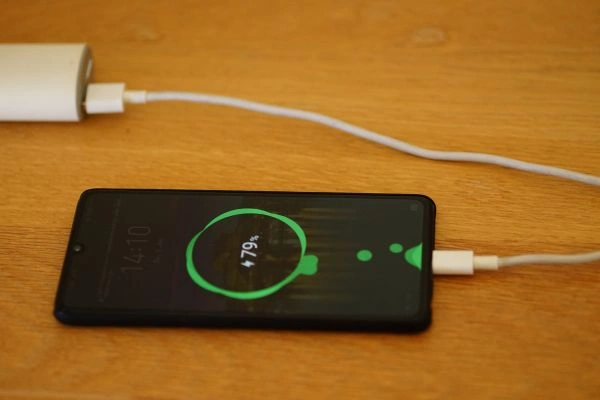
Fix It: When possible, charge the phone to around 80 percent before unplugging. Overnight charging is fine if the phone includes smart charging features that slow down trickle charging at high power levels.
Allowing The Battery To Drop Too Low
Letting the battery drop to very low levels on a daily basis can stress the battery and encourage faster chemical breakdown. Although modern phones handle deep discharge better than older devices, consistently letting the battery drop to single digits is not ideal.
Fix It: Try to recharge before the phone falls below about 20 percent. Keeping the battery between roughly 20 and 80 percent can help balance daily life with preserving long‑term health.
Leaving Unused Features On
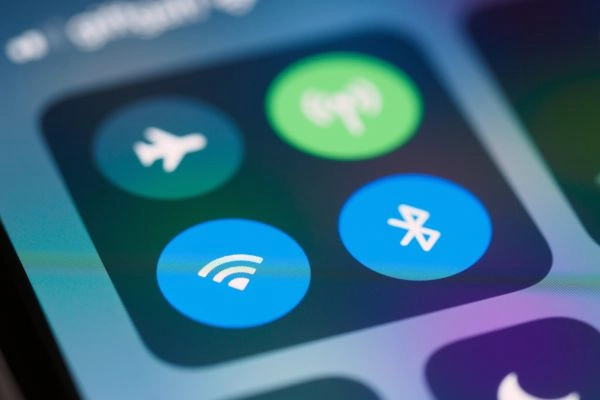
Features like Bluetooth, Wi‑Fi, GPS, and NFC are convenient, but leaving them on continuously uses power even when they are not actively needed. Location services, in particular, can drain battery quickly when multiple apps request location updates.
Fix It: Turn off features when they are not in use. For example, turn off Bluetooth if not using wireless audio, or disable GPS for apps that do not need it.
Additional Battery Drains That Often Get Overlooked
Constant Notifications
Each notification wakes the phone, lights up the screen, and may trigger sound or vibration. Over a day, repeated notifications add up to a significant amount of power use.
Fix It: Adjust notification settings so only important apps can send alerts. Silent notifications can still appear in the notification center without waking the screen.
Streaming And High Data Use
Streaming video or music, especially on mobile data, uses more power than simple background tasks. High screen brightness and network activity increase battery drain.
Fix It: Download media when on Wi‑Fi for offline use, lower screen brightness, and prefer audio streaming over video if battery life is a priority.
Poor Signal Areas
When a phone struggles to connect to a network, it increases its power output to maintain a signal. This can drain the battery faster even when the user is not actively using the phone.
Fix It: Enable airplane mode in areas with poor signal if communication is not needed. Otherwise, switch to Wi‑Fi where available to reduce cellular strain.
Comparing Common Battery Preserving Strategies
Below is a comparison of common strategies and how effective they tend to be.
| Strategy | Battery Savings | Ease Of Use | Impact On Daily Life |
|---|---|---|---|
| Reduce Screen Brightness | High | Easy | Minimal |
| Turn Off Background App Refresh | Very High | Moderate | Medium |
| Enable Battery Saver Mode | High | Easy | Slight Limits |
| Limit Notifications | Medium | Easy | Low |
| Use Airplane Mode In Poor Signal | High | Moderate | Medium |
Interpretation: Reducing screen brightness and enabling battery saver mode are two of the most effective and least disruptive adjustments. Turning off background app refresh also helps, but may affect how some apps update content. Users should balance between energy savings and usability.
How Phone Brands Approach Battery Life
Different manufacturers take varied approaches to battery management.
Apple iPhone Battery Management
Apple regularly updates iOS with features that reduce background activity, manage charging speeds, and learn user patterns to optimize power. Low Power Mode decreases nonessential processes and pauses some visual effects. iPhones also include built‑in battery health tools that report on maximum capacity and provide charging recommendations.
Android Battery Tools
Many Android makers add their own battery optimizers on top of what Android itself provides. These tools often include adaptive battery settings that restrict background apps based on use patterns. Some brands build aggressive power curbs into their phones, closing background processes to conserve energy.
Third‑Party Battery Apps
Many apps promise improved battery life, but users should be cautious. Some can help identify heavy power users on the device, while others may run too many background processes themselves. Only trusted apps should be used, and built‑in tools generally offer the best starting point.
Common Myths About Smartphone Battery Life
There are several beliefs about batteries that continue despite being outdated or incorrect.
Myth 1: Charging Overnight Is Bad For The Battery
Modern phones include smart charging controls. These systems slow down charging when the battery reaches a high percentage and can wait to complete the final charge closer to when the user typically wakes. This helps reduce wear caused by sitting at high levels for long periods.
Myth 2: Closing Apps Saves More Battery
For most apps, simply leaving them open does not use more power. On modern operating systems, background activity is managed efficiently. Frequently closing apps may actually use more energy when relaunching them frequently.
Myth 3: You Must Fully Discharge Before Charging
This was true for older battery chemistries, but modern lithium‑ion batteries do not benefit from deep discharges. Charging in smaller increments generally causes less stress and helps maintain capacity longer.
Frequently Asked Questions About Smartphone Battery Life
What Is A Healthy Battery Charge Range?
Keeping a phone between about 20 and 80 percent charge most of the time helps reduce stress on the battery and extend its long‑term health.
How Much Does Screen Brightness Affect Battery Life?
The screen is among the top factors that drain smartphone battery. Reducing brightness by even a small amount can have a noticeable impact, especially for users who spend a lot of time on their phone.
Do Apps Update In The Background All The Time?
Many apps are designed to update background content. Turning off background refresh for apps that do not need it can help save battery without reducing core functionality.
Should I Turn Off Wi‑Fi And Bluetooth When Not In Use?
Yes. Both Wi‑Fi and Bluetooth use power in the background, so turning them off when not needed helps conserve energy.
Wi‑Fi generally uses less power than mobile data. When possible, using Wi‑Fi saves energy, especially when downloading large files or streaming media.
Practical Ways To Improve Phone Battery Life
Battery life does not have to be a daily source of frustration. Many of the habits that drain power are under the control of the user. By understanding how phones use energy and making small adjustments, it is possible to see noticeable improvements in how long a phone lasts between charges and how well the battery performs over time.
From managing background apps to adjusting screen settings, the key is to strike a balance that fits daily needs without sacrificing usability. Learning how to avoid common mistakes helps people get the most out of their devices and reduces the stress of a low battery at critical moments.
With thoughtful use and proper care, smartphone battery life can support modern digital life without constant charging anxiety. Simple changes today can lead to better performance tomorrow.