Remote work has become common around the world, with professionals relying on laptops, phones, monitors, routers, and smart devices throughout the day. The success of remote work depends on stable, uninterrupted power. A sudden outage or unexpected drain can lead to lost work, missed calls, and major frustration. Reliable power supplies help remote workers stay connected, productive, and stress-free.
This guide gathers the latest reviews, product recommendations, and expert insights to highlight the most useful power supply options for remote workers. It covers portable battery packs for on-the-go work, uninterruptible power supplies (UPS) for home offices, power-strip essentials, solar alternatives for travel, and a full FAQ section to answer common questions.
Why Reliable Power Supplies Matter For Remote Workers
Remote work is anything but predictable. Some days involve multiple video calls, file uploads, and long work sessions that drain devices quickly. Other days might be spent in cafes or coworking spaces where access to outlets is limited. Power interruptions happen without warning. In some regions, outages are frequent due to weather, grid demand, or maintenance. Without backup power, remote workers can lose unsaved work, miss deadlines, or fail to join important meetings.
Reliable power supplies give remote workers more control. They protect valuable equipment, provide emergency juice during blackouts, and reduce stress. They also offer flexibility to work from anywhere, whether at a coffee shop, in a park, or during travel.

Portable Power Banks For Daily Use
Portable power banks are essential for remote workers who need power on the go. They are compact, easy to carry, and provide multiple charges for phones, tablets, and smaller laptops.
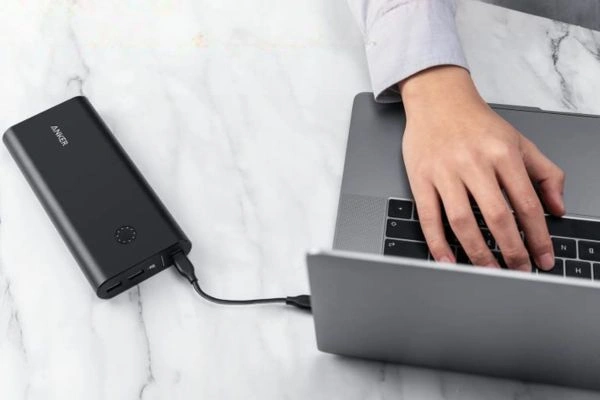
1. Anker PowerCore 26800 Portable Charger
A favorite among professionals, this power bank offers large capacity and fast charging at a reasonable price. It includes multiple USB ports, allowing simultaneous charging of phones and tablets. With support for high-speed charging protocols like Power Delivery, it works well with most modern devices.
2. Zendure SuperTank Pro
For those who need power for laptops and tablets, the Zendure SuperTank Pro delivers. With a large 26,800mAh capacity and multiple USB-C Power Delivery ports, it can recharge MacBooks, Windows laptops, and gaming devices on the move. Its rugged design is another plus for frequent travelers.
3. RAVPower 20000mAh PD Portable Charger
This option balances size and power. It is lightweight enough for a bag while still providing enough juice for phones and tablets through USB-C and USB-A ports. Fast power delivery makes it a reliable choice for remote workers who switch locations often.
Uninterruptible Power Supplies For Home Offices
While portable chargers help during travel, home offices need something stronger to deal with outages and power surges. That is where uninterruptible power supplies (UPS) come in. A UPS provides short-term backup power, giving devices enough time to save work and shut down safely.
4. APC Back-UPS Pro 1500VA (BR1500G)
A top choice for remote workers with multiple devices, this UPS offers power backup and surge protection. With enough capacity for a laptop, monitor, router, and external drive, it keeps critical systems running during brief outages. It also features automatic voltage regulation to protect sensitive electronics.
5. CyberPower CP1500AVRLCD Intelligent UPS
This model combines reliability and smart features, including an LCD screen that shows runtime and power status. It supports appliances like computers, routers, and small servers. Its AVR feature ensures stable voltage, which is useful in areas with frequent power fluctuations.
6. Eaton 5P1550GR UPS
For remote workers with higher power demands, such as those using desktop computers or multiple monitors, the Eaton 5P1550GR offers robust backup power and data line surge protection. Its compact design fits under desks while delivering solid performance.
Power Strips With Safety And Organization Features
Power strips are a basic for any workspace, especially when multiple devices need charging or simultaneous power. Choosing one with safety features such as surge protection and USB charging is important.
7. Belkin 12-Outlet Power Strip With Surge Protection
This power strip offers plenty of outlets for computers, monitors, speakers, and other accessories. It’s built-in surge protection guards against voltage spikes that could damage equipment.
8. AmazonBasics 6-Outlet Surge Protector With USB
For simpler setups, this budget-friendly surge protector includes a few outlets and USB ports. It is ideal for smaller desks where space is limited, but USB charging is still needed.
9. Anker PowerExtend Strip 6 With USB
Anker‘s model combines surge protection with USB-A and USB-C charging ports. Its design keeps cables organized, and the number of outlets makes it a solid all-around choice for remote workers with laptops, phones, tablets, and more.

Power Stations For Remote Work And Travel
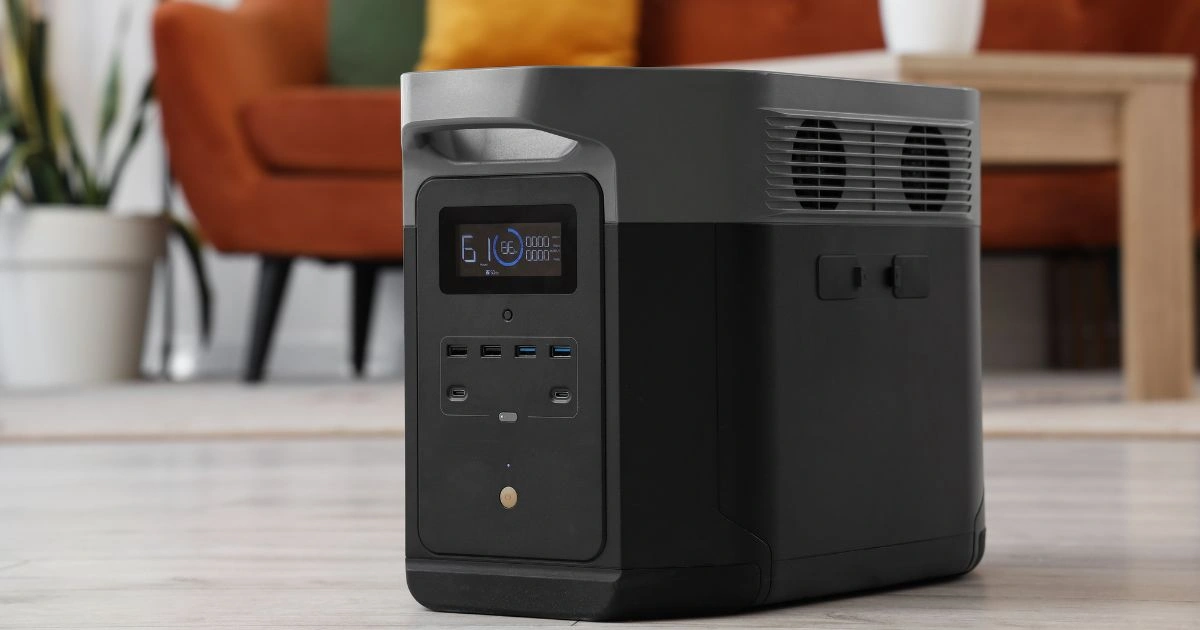
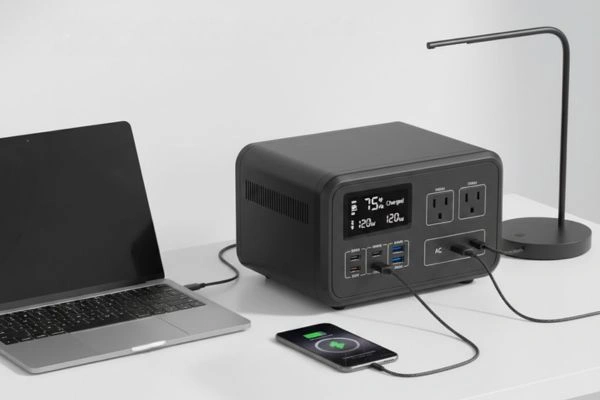
When outlets are not available at all, portable power stations fill the gap. These are larger battery packs that offer AC outlets, USB ports, and sometimes even car sockets.
10. Jackery Explorer 500 Portable Power Station
This mid-range power station is popular with remote workers who spend time outdoors or travel often. It has enough power to run laptops, small appliances, and lighting for hours. Solar panel compatibility adds flexibility for eco-friendly setups.

11. Goal Zero Yeti 1000 Portable Power Station
For heavy power needs, this station delivers high capacity and multiple outlets. It can drive devices like monitors and small printers, making it suitable for remote work during long outages or trips where conventional power is unreachable. Its rugged build also fits outdoor use.
12. EcoFlow River Pro Portable Power Station
EcoFlow’s River Pro appeals to mobile professionals with fast recharging and a modular design. It can charge through wall outlets, car sockets, or solar panels. Its compact footprint and quick recharge make it versatile.
Solar Chargers And Panels For Off-Grid Power
For remote workers who enjoy outdoor settings or travel far from reliable outlets, solar panels provide renewable charging. Paired with power stations or large battery banks, they keep devices running even off-grid.
13. Jackery SolarSaga 100W Solar Panel
This foldable panel works well with power stations like the Jackery Explorer series. It is lightweight, efficient, and easy to set up. Sunny conditions can produce enough power to keep laptops and phones charged throughout the day.
14. Anker 625 Solar Panel
Anker’s solar option includes built-in kickstands and a durable design. It is designed for outdoor workstations or emergency use, converting sunlight into usable power for connected battery packs.
Comparing Power Supply Types For Remote Workers
Remote workers face decisions when choosing power supplies. Here is a comparison of key types:
| Power Supply Type | Best For | Pros | Cons |
|---|---|---|---|
| Portable Power Banks | On-the-go charge | Small, lightweight, USB support | Limited capacity for laptops |
| UPS Systems | Home office reliability | Protects electronics, short outage support | Bulky, requires outlets |
| Power Strips | Device organization | Many ports, often USB | No backup power |
| Power Stations | Remote work without outlets | AC and USB support, large capacity | Heavier than power banks |
| Solar Panels | Outdoor/off-grid power | Renewable energy, flexible | Dependent on sun exposure |
How To Pick The Best Power Supplies For Remote Work
When choosing a power solution, consider these factors:
Power Capacity
Check the battery size or VA rating for UPS systems. Higher capacity means longer runtimes, but also bigger and heavier hardware.
Device Compatibility
Ensure the power supply supports your device types. Laptops may need USB-C PD output or AC outlets. Phones and tablets typically charge through USB ports.
Portability
For workers who travel or work outdoors, size and weight matter. Portable chargers and compact power stations are usually easier to carry.
Safety Features
Look for surge protection, short-circuit safeguards, and certifications like UL or ETL. These features help protect electronics from damage.
Charging Speed
Fast charging protocols like USB-C Power Delivery and Qualcomm Quick Charge help refill devices quickly, reducing downtime.
Real-World Examples Of Power Setups For Remote Work
Here are practical ways remote workers use power supplies:
Home Office With High-Performance Laptop
A UPS like the APC Back-UPS Pro protects a laptop, monitor, router, and NAS drive. An Anker PowerExtend strip keeps everything organized, and a portable power bank sits ready for travel.
Freelancer Working From Cafes
The Zendure SuperTank Pro and RAVPower portable charger provide ample power for a phone, tablet, and compact laptop. This setup is easy to carry in a backpack.
Outdoor Photographer Editing On The Go
A Jackery Explorer power station and SolarSaga panel keep cameras, laptops, and phones running during long outdoor sessions. The solar panel extends battery life during sunny days.
Startup Teams During Power Outages
Teams that rely on remote collaboration tools may use power stations like the EcoFlow River Pro to power routers, laptops, and conferencing gear until power returns.
Frequently Asked Questions
What Is The Difference Between A UPS And A Power Station?
A UPS provides short-term power and surge protection, keeping devices alive just long enough to save work and shut down properly. Power stations offer longer runtimes and AC outlets without needing wall power.
Can A Power Bank Charge A Laptop?
Yes, many modern power banks support USB-C Power Delivery that can charge small laptops and tablets. Always check the power bank’s output rating vs your laptop’s requirements.
Are Solar Panels Worth It For Remote Work?
Solar panels are useful if working outdoors or in areas with unreliable power. They are best paired with power stations rather than directly powering devices.
How Long Can a UPS Power My Devices?
The runtime of a UPS varies based on its capacity and the number of devices connected. Small setups may last minutes, while larger UPS models can support longer sessions.
Should Power Supplies Be Left Plugged In All The Time?
Most UPS and power stations are safe when plugged in, but batteries can wear out over time. Follow the manufacturer’s guidelines to maintain long life.
Do I Need Surge Protection?
Yes. Surge protection helps prevent damage from voltage spikes due to storms, outages, or power grid changes.
Stay Productive On The Go With Reliable Power
Remote work depends on staying powered up. From small power banks that save a phone battery to UPS systems that keep a home office running through outages, there are reliable power suppliers for every situation. Portable stations, solar panels, and smart strips add flexibility that helps professionals stay connected and productive.
Choosing the right power setup depends on your work style, location, and device needs. By focusing on capacity, compatibility, safety features, and portability, remote workers can avoid unexpected downtime and frustration.
Whether working from home, traveling for work, or exploring outdoor locations, a dependable power supply gives peace of mind and keeps productivity steady. Investing in the right power tools is an investment in uninterrupted work and professional reliability.