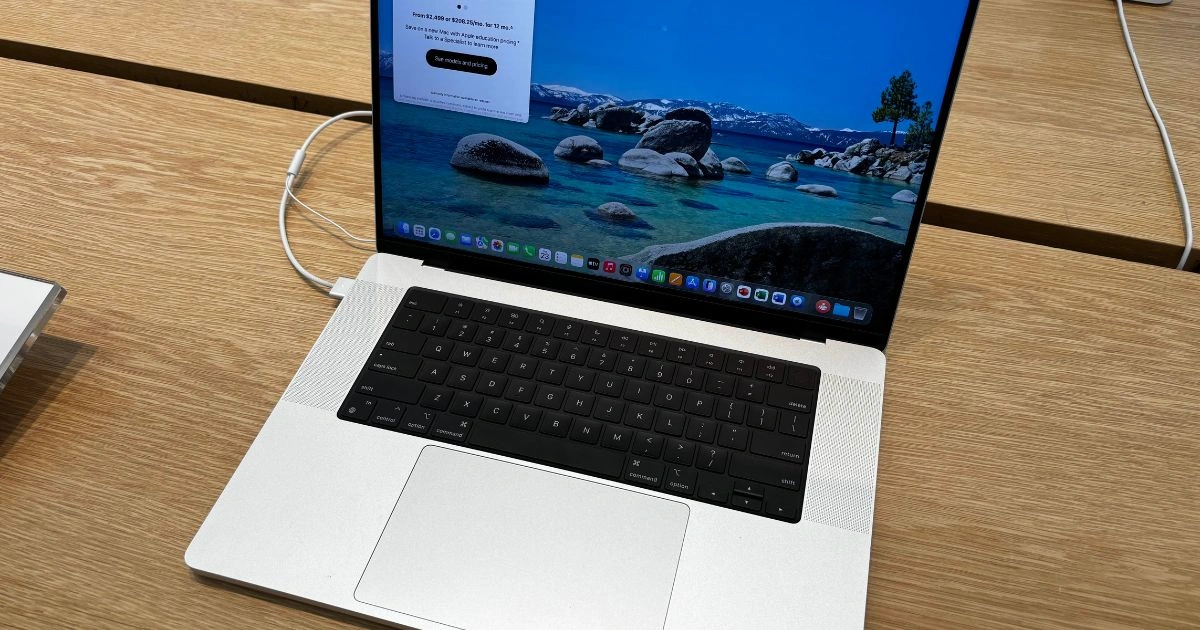
Apple is widely expected to bring a touchscreen interface to the MacBook Pro, a move that would mark one of the most meaningful shifts in the company’s laptop strategy in more than a decade. For years, Apple resisted adding touchscreens to its Mac computers, instead doubling down on precision trackpads, full-size keyboards, and software designed around indirect input. That stance set Macs apart from many Windows laptops and helped reinforce the idea that touch belonged on phones and tablets, not notebooks.
Recent reports now suggest that Apple is preparing its first touchscreen MacBook Pro featuring an OLED display and updated interaction features that blend touch with familiar keyboard and trackpad controls. The idea is not to replace the classic Mac experience but to extend it. Touch would be there when it makes sense and invisible when it does not.
This article brings together the most credible information from recent reports, industry leaks, and analyst commentary to explain what this long-rumored MacBook Pro might look like, how it could perform, and how it may change daily interaction with macOS. The goal is to provide a clear and practical look at what to expect and how this device could compare with earlier MacBooks and competing laptops.
Why Apple’s Touchscreen MacBook Pro Matters
A MacBook Pro with a touchscreen is not just another hardware update. It challenges a long-held design philosophy at Apple. For more than ten years, Apple executives argued that touch input works best on devices held in the hand, not on screens mounted vertically in front of the user. This belief shaped the Mac lineup and influenced features like the large Force Touch trackpad and precise cursor control.
Apple did experiment with touch in a limited way through the Touch Bar, a slim touch-sensitive strip above the keyboard. While the idea was creative, it failed to win over most users. Many found it slower than physical keys, and developers were slow to embrace it fully. Apple eventually removed the Touch Bar from new MacBook Pro models, returning to traditional function keys.
If full touch support arrives on the MacBook Pro, it signals a more confident approach. Touch could change how creative professionals scrub through video timelines, how students scroll through notes, and how casual users browse the web. It may also narrow the gap between macOS and Apple’s tablet software, creating a more unified feel across devices without merging platforms outright.
Expected Release Timeline And Strategy
Reports point to Apple planning OLED MacBook Pro models with touchscreens later in the product cycle, likely toward the end of the year or shortly after. This timing fits Apple’s established pattern of launching major Mac updates during the fall season, when attention is high and professional buyers are planning upgrades.

At the same time, Apple is expected to refresh the MacBook Pro lineup earlier with updated M-series chips. These interim updates would focus on performance gains rather than design changes. The touchscreen models appear to be part of a broader redesign that combines new display technology, updated internals, and subtle changes to the overall look of the laptop.
This staggered approach allows Apple to keep the lineup fresh while saving its most dramatic changes for a headline-grabbing release.
Display And Touch Technology
OLED Display For Brighter And Better Color
The touchscreen MacBook Pro is widely expected to move away from Apple’s current mini-LED panels, often branded as Liquid Retina XDR, in favor of OLED technology. OLED displays are known for deep blacks, strong contrast, and rich color reproduction. Each pixel produces its own light, enabling precise control of brightness and color.
For photographers, video editors, and designers, this shift could be significant. OLED displays can show subtle shadow detail and accurate highlights, which helps when working with high-dynamic-range content. Text and interface elements also tend to look sharper and cleaner.
Apple is also rumored to use advanced OLED techniques such as tandem stacking. This approach layers multiple OLED panels to increase brightness while maintaining efficiency and reducing burn-in risk. Supply chain reports suggest that Apple has already tested early production samples, pointing to serious preparation rather than a distant experiment.
Touchscreen Integration
Unlike many Windows laptops that treat touch as a primary input method, Apple is expected to take a more balanced approach. Touch is likely to complement the keyboard and trackpad rather than replace them. Users may tap to select items, scroll through documents, or zoom into photos, then switch back to the trackpad for precision work.
Touch gestures are expected to mirror those found on iPhones and iPads. Pinch to zoom, swipe to scroll, and tap to open items would feel familiar to anyone already in the Apple ecosystem. macOS could dynamically adjust interface elements, making buttons larger or spacing controls differently when touch input is detected.
This adaptive behavior would help avoid clutter while still making touch comfortable and reliable.
Dynamic Island And New UI Features
Another reported addition is a Mac version of Dynamic Island, a feature introduced on recent iPhones. On a MacBook Pro, Dynamic Island could appear near the top of the display and act as a small interactive hub for alerts, background tasks, and live system information.
On a laptop, Dynamic Island would likely be more subtle than on a phone. It might show music playback controls, timer countdowns, or file transfer progress without interrupting the main workspace. With touch support, users could tap or swipe within this area to interact directly with those tasks.
If implemented well, Dynamic Island could reduce the need for pop-up notifications and help keep attention focused on work.
Design Changes And Hardware Upgrades
Thinner And Lighter Chassis
The shift to OLED and updated internal components may allow Apple to slim down the MacBook Pro slightly. Apple has steadily reduced the thickness of its devices in recent years, and a more efficient display could support that trend.
A thinner and lighter design would improve portability, especially for users who carry their laptops daily. Any reduction would need to balance durability, cooling, and battery capacity, all areas where the MacBook Pro has traditionally performed well.

Punch-Hole Camera
Reports also suggest a move away from the display notch in favor of a punch-hole camera. This change would free up more usable screen space along the top edge and create a cleaner look. A smaller camera cutout could also pair well with Dynamic Island features, blending hardware and software elements more smoothly.
Performance With M-Series Chips
Alongside the touchscreen and OLED display, the new MacBook Pro models are expected to feature next-generation M-series chips. These processors continue Apple’s focus on performance per watt, offering strong computing power while maintaining long battery life.
Improvements are expected in tasks like video encoding, 3D rendering, machine learning workloads, and multitasking. Better efficiency could also help offset the additional power demands of a touchscreen and OLED panel.
Battery Life And Thermal Considerations
Battery life remains a core strength of the MacBook Pro. Adding touch sensors and OLED technology raises questions about power consumption. OLED displays can be efficient when showing darker content, but may use more power at high brightness levels.
Apple is likely to rely on software optimization, adaptive brightness, and efficient chip design to keep battery life competitive. Thermal management will also be important, especially in thinner designs. Improved cooling solutions and smarter power management could help maintain performance without excessive heat or fan noise.
Pricing And Market Position
Early reports suggest that touchscreen MacBook Pro models will sit at the higher end of the pricing spectrum. OLED panels and touch hardware are more expensive to produce than traditional displays, and those costs are expected to be reflected in retail prices.
Apple is likely to position these models as flagship tools for professionals and enthusiasts who want the best display quality and flexible input options. Existing non-touch models may remain available at lower price points, giving buyers more choice across the lineup.
How Touchscreen MacBook Pro Compares With Other Laptops
Traditional MacBook Pro Models
Current MacBook Pro models without touchscreens rely entirely on keyboard and trackpad input. Many professionals prefer this setup for long editing sessions, coding, and writing. The trackpad remains one of the most precise in the industry.
The touchscreen versions aim to add optional interaction without forcing a change in habits. Users who never touch the screen could continue working exactly as before.
Windows Touch Laptops
Windows laptops have supported touch for years. Devices like the Microsoft Surface series show how touch can work alongside a desktop operating system. These devices allow tapping, drawing, and handwriting while still supporting traditional input.
Apple’s approach is expected to be more restrained, focusing on consistency and polish rather than offering every possible input style at once.
iPad And iPadOS
Apple has often pointed users who want touch interaction toward the iPad. The iPadOS platform is built around touch and supports accessories like the Apple Pencil and keyboard covers.
The touchscreen MacBook Pro does not replace the iPad experience. Instead, it borrows selected touch elements and integrates them into a more traditional laptop workflow.
Potential Software Changes And macOS Adaptation
For touch to feel natural, macOS will need thoughtful adjustments. Menus, buttons, and controls may become more touch-friendly when needed. System apps like Safari, Photos, and Finder could receive updates that improve touch responsiveness.

Third-party developers may also begin optimizing apps for touch input. Creative software, drawing tools, and productivity apps could benefit from direct interaction, especially when paired with keyboard shortcuts and trackpad gestures.
Apple has not confirmed these changes publicly, but ongoing development in macOS suggests readiness for a broader range of input methods.
Benefits And Challenges Of A Touchscreen MacBook
Benefits
Touch input can make navigation feel more direct, especially for scrolling, zooming, and browsing content. Creative workflows may benefit from quick on-screen adjustments. OLED displays promise excellent color accuracy and contrast. Flexible input allows users to choose the most comfortable method for each task.
Challenges
Touchscreens attract fingerprints and smudges, which can be distracting on glossy displays. Battery life may be affected if power use is not carefully managed. Some users may need time to adjust to a hybrid interaction model. Higher prices could limit accessibility for budget-conscious buyers.
Online discussions show a mix of excitement and caution, reflecting the challenge of introducing a major change to a well-established product line.
Frequently Asked Questions
Will Apple Officially Announce A Touchscreen MacBook Pro Soon?
Apple has not made an official announcement, but consistent reports from multiple sources suggest development is underway.
How Will Touch Work With macOS?
Touch is expected to act as an optional input method. macOS may adjust interface elements based on whether a touch or a trackpad is being used.
Will The Touchscreen Replace The Trackpad?
No. The keyboard and trackpad are expected to remain central to the MacBook Pro experience.
Could Battery Life Be Affected?
OLED panels and touch sensors can use more power, but Apple is likely to offset this with efficient hardware and software optimization.
Will Older MacBooks Gain Touch Support?
Native touch support requires specific hardware, so older models are unlikely to receive full touchscreen capability.
Touch Comes to the Mac the Apple Way
Apple’s move toward a touchscreen MacBook Pro represents a careful but meaningful evolution of the Mac. Rather than abandoning its established design principles, Apple appears to be expanding them. If the reports prove accurate, the result could be a laptop that feels familiar yet more flexible, powerful, and visually impressive.
Success will depend on balance. Touch must feel helpful without becoming intrusive. Software must adapt smoothly without sacrificing precision. If Apple gets that balance right, the touchscreen MacBook Pro could shape the future of Mac laptops and influence how other manufacturers approach hybrid input designs.