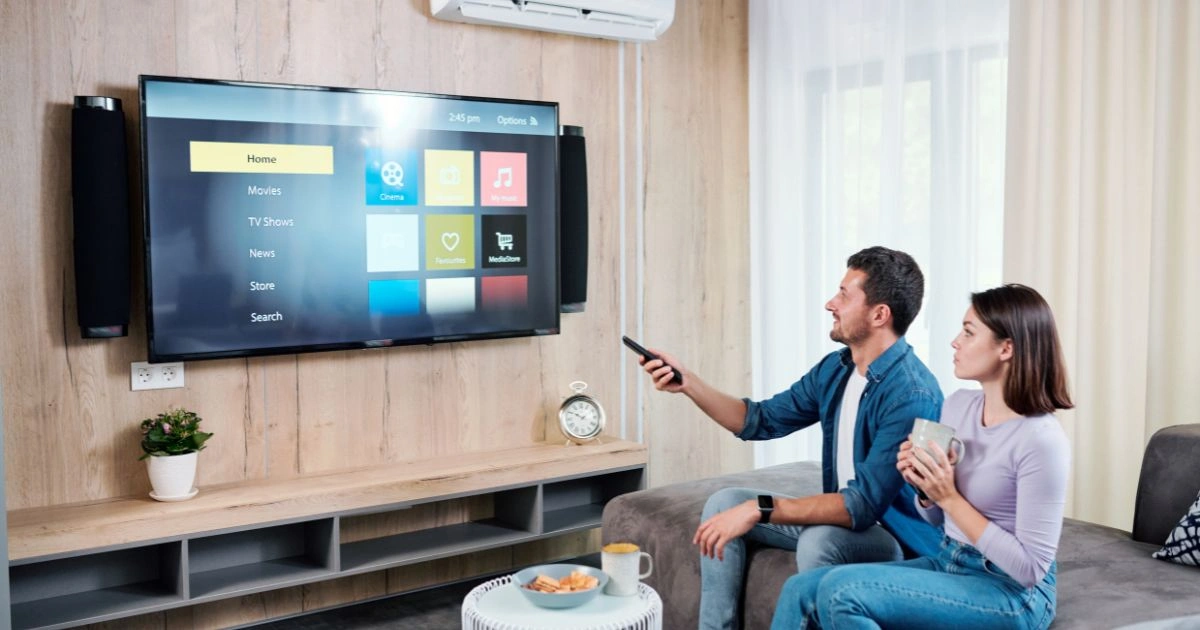
Choosing a new television today means more than picking a screen size or picture quality. With so many smart features available from different brands, it can be hard to decide which type of television is right for your needs. Two terms often seen in buying guides and tech stores are Android TV and Smart TV. While they may seem similar at first, they differ in software, app support, updates, and overall user experience. Understanding these differences can help you make a much better choice when buying a new TV.
This guide explains Android TV vs Smart TV, how they differ, their advantages, and what to consider for your viewing needs. It also offers examples of recommended TV models and real‑world context, so you know what to expect before making a decision.
What Is Android TV?
Android TV is a Google-developed operating system designed for televisions and select set-top boxes. It turns a TV into a smart entertainment hub powered by Google’s software ecosystem. Android TV provides access to the Google Play Store, Google Assistant, Chromecast built‑in, and a wide range of apps and games that can be installed directly on the television.
One way to think of Android TV is that it brings the familiar ecosystem of Android phones and tablets to the living room. Users who already use Android devices often find the interface and controls intuitive because they are similar to what they know from phones. The Google Play Store on Android TV includes many of the same apps available on mobile devices, adapted for use on larger screens.
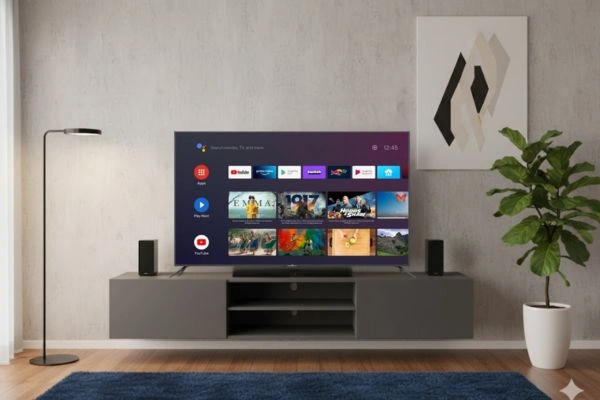
Key Features of Android TV
- Wide App Library: Android TV gives access to thousands of apps from the Google Play Store, including streaming platforms, games, and additional tools beyond just video streaming. Popular services like Netflix, Disney+, Spotify, and YouTube are easily installed and updated directly on the TV.
- Google Services Integration: Android TVs are deeply integrated with Google services. They include Google Assistant for voice control, built‑in Chromecast to stream content from phones or tablets, and features like personalized recommendations based on viewing habits.
- Frequent Updates: Because Google and hardware makers support Android TV, it often receives more regular software updates and security patches compared to many proprietary platforms.
- Customizability: The platform allows for greater personalization, including sideloading certain apps that may not be listed in the default store, changing launcher layouts, and adjusting settings to suit individual needs.
Example Android TV Models To Consider
- Sony A95L OLED: Sony’s premium Android TV model delivers outstanding picture quality with deep blacks and vibrant colors. Its Google TV interface, based on Android TV, offers strong app support and smart features.
- realme TechLife QLED Google TV: A mid‑range Android TV with Dolby Vision and 120Hz refresh rate, making it a good choice for both streaming and gaming without breaking the bank.
- Xiaomi Smart TV X Pro: A budget‑friendly Android TV with Dolby Audio and Google TV interface. It provides a strong set of features for users who want good app support and smooth performance.
What Is a Smart TV?
“Smart TV” is a broad term used to describe any television that can connect to the internet and run apps. Most modern TVs are smart by default, but they do not necessarily run Android. Instead, they may run proprietary systems built by the TV manufacturer, such as Samsung’s Tizen, LG’s webOS, or Hisense’s VIDAA. These systems often offer built‑in access to popular streaming apps like Netflix, YouTube, and Prime Video.
Unlike Android TV, which uses a common platform across brands, Smart TV platforms vary widely. Each manufacturer builds its own system, which means the interface, app availability, and feature set can be very different from one brand to another.
Key Features of Smart TVs
- Ease of Use: Smart TVs generally offer intuitive interfaces and direct access to popular streaming services right out of the box. Many users find these platforms easy to navigate without needing additional setup.
- Budget‑Friendly Options: Many affordable Smart TVs provide all essential functions without additional hardware or software complexity. These models can be great choices for people who primarily want streaming services without extra features.
- Pre‑Installed Apps: Most Smart TVs come with key apps already installed, such as Netflix, YouTube, and Prime Video, so there’s little setup required after turning the TV on for the first time.
- Fewer Updates: One trade‑off is that proprietary Smart TV platforms may not receive regular software updates. This can affect app performance, security, and the longevity of the device over time.
Example Smart TV Models
- Samsung Smart TVs: Samsung’s Tizen platform powers a wide range of Smart TVs, from budget models to high‑end screens. The interface is stable and supports the most popular apps.
- Philips OLED and QLED Smart TVs: Philips delivers premium picture quality with Smart TV platforms built into the hardware, combining great visuals with a solid set of pre‑installed apps.
- Budget 55‑Inch Smart TVs: Brands like Xiaomi and COOCAA offer large‑screen Smart TVs that include essential streaming apps and 4K support, delivering good performance at a lower price point.
Android TV vs Smart TV: How They Compare
To decide which type of TV is right for you, it helps to look at the key differences between Android TV and more general Smart TV platforms.
Operating System and Interface
The biggest difference between Android TV and Smart TV lies in the software. Android TV uses Google’s Android‑based platform, offering a familiar and expandable interface with access to an app store. Smart TV platforms are usually custom systems from manufacturers. These systems often provide quick access to essential apps but typically have fewer options for customization and expansion.
Android TV gives users access to a broader range of apps and greater flexibility in managing content. Smart TVs focus on simplicity and ease of use, but often have limited app stores and fewer customization options.
App Availability and Flexibility
With Android TV, users can install apps directly from the Google Play Store, including smaller or niche apps that may not be available on proprietary platforms. Smart TV platforms may only support the most widely used apps. This difference matters especially for tech enthusiasts or households that want advanced tools beyond basic streaming.
For example, an Android TV user may be able to download fitness apps, interactive games, or media players not included in the default Smart TV interface. Smart TV users may need to rely on a connected device like a streaming stick to access similar content if the native app is not available.
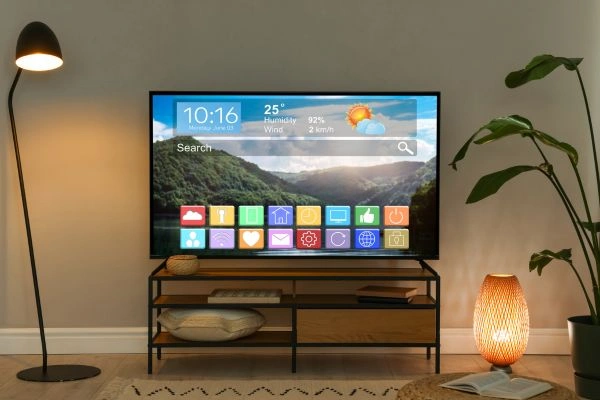
Voice Control and Smart Home Integration
Android TV often integrates more deeply with Google Assistant, offering hands‑free voice search, connected smart home commands, and personalized suggestions. This integration means users can control compatible smart lights, thermostats, and other devices with voice commands through a single interface.
Most Smart TVs also include voice control, but it may be limited to specific tasks like changing channels or launching apps. For example, LG’s webOS and Samsung’s Tizen support voice assistants, but deep integration with third‑party smart home devices may require additional apps or hardware.
Updates and Security
Android TV typically receives more frequent software updates and security patches from both Google and TV manufacturers. Regular updates help Android TVs stay current with new features, app compatibility, and security improvements. Smart TVs, especially budget models, may only receive occasional updates, which can impact long‑term functionality.
A TV that receives updates more often is less likely to become obsolete quickly, especially as streaming apps and online services change their requirements over time.
When Android TV Might Be Better
Android TV is often the better choice for users who want:
- More apps and content options
- Deeper customization and control
- Better smart home and voice assistant integration
- Frequent feature and security updates
- Google ecosystem integration with phones and devices
This makes Android TV especially appealing to tech enthusiasts, families with varied entertainment needs, and households already using Android devices or Google services.
For example, users who enjoy gaming on their TV can install Android games directly on the TV and pair Bluetooth controllers. Android TV also stands out for users who want fitness apps or interactive learning tools on their living room screens.
When Smart TV Might Be Enough
Smart TV can be ideal for users who:
- Prefer a simple, plug‑and‑play setup
- Only use major streaming services
- Want a stable experience without app management
- Don’t need advanced features or ecosystems
For many casual viewers who mainly watch Netflix, YouTube, and broadcast TV, a Smart TV provides all the necessary functions with minimal hassle. Purchasing a Smart TV means less time tweaking settings and more time watching content instantly after setup.
Budget Smart TVs can be especially attractive for first‑time TV buyers, renters, or secondary rooms like bedrooms and guest spaces, where advanced features are not as critical.
Recommended TV Picks by Type
Here are some recommended options grouped by type to help you start your search:
Android TV Options
- Sony A95L OLED (Android TV, premium): Excellent color performance, deep blacks, and superior contrast make this an ideal choice for movie lovers who also want top‑tier smart features.
- realme TechLife QLED (Google TV/Android): A strong mid‑range pick with support for HDR, quicker refresh rates, and smooth performance for both streaming and gaming.
- Xiaomi Smart TV X Pro (Android TV): Affordable and capable with wide app support, Dolby Audio, and built‑in Google Assistant.
Smart TV Options
- Samsung QN65S95F QD‑OLED Smart TV: A high‑end Smart TV with excellent picture quality, strong motion handling, and access to the most popular streaming apps.
- Xiaomi QLED Smart TV X Pro 75: Large screen and vibrant visuals with essential smart features at a competitive price.
- Budget 55‑inch Smart TVs: Affordable models that include popular streaming apps and 4K support, ideal for budget‑conscious buyers.
Choosing What Fits Your Lifestyle
Picking between Android TV and Smart TV comes down to how you plan to use your television. If you want the most flexibility, greatest app support, and frequent updates, Android TV stands out as the stronger choice. If you prefer a simple experience that works well for basic streaming and everyday viewing, a Smart TV is usually sufficient.
Another factor is ecosystem compatibility. Users who already own Android phones, Google accounts, or multiple Google devices may find Android TV more seamless. Users invested in other ecosystems may prefer Smart TV systems that integrate with their existing devices.
Budget plays a role, too. A higher‑end Android TV may cost more upfront, but its longer software support and wider app options can make it more future‑proof. Meanwhile, Smart TVs often offer better value for viewers who want a straightforward setup and essential streaming features.
Making the Right TV Choice for Your Home
Android TV and Smart TV both have their strengths, but they serve different needs. Understanding how they differ helps buyers decide what matters most for their viewing habits. Android TV excels when users want flexibility, personalization, and broader app access. Smart TV works well for users who want to keep things simple and focus on the most popular services.
As TV technology continues to improve, both platforms are becoming more capable, gradually closing the gap in features over time. Whichever choice you make, understanding the differences will help ensure you pick a television that matches your expectations and stays relevant for years to come.