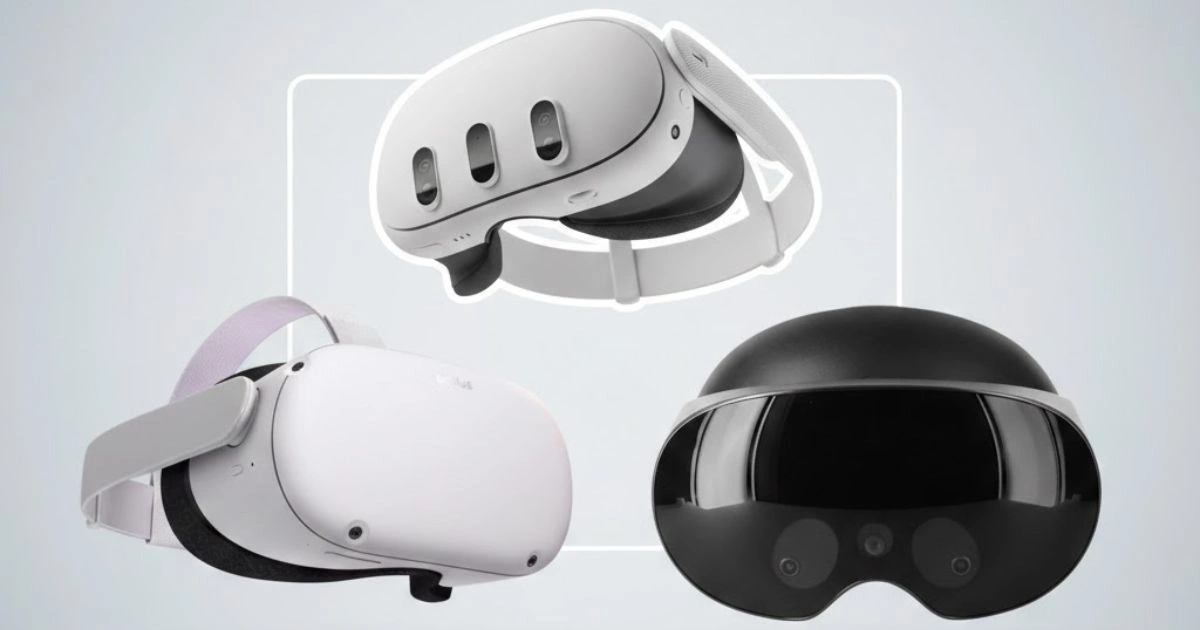
Virtual reality headsets have become one of the most talked-about tech products in recent years. Among them, the Meta Quest line has stood out as one of the most accessible ways for people to step into virtual worlds, enjoy games, watch movies, and explore mixed reality experiences. With a large library of content, solid hardware, and a price range that appeals to both casual users and enthusiasts, these headsets continue to shape the landscape of consumer VR.
This guide brings together the latest reviews, product comparisons, expert takes, and real‑user feedback to help you understand the current state of Meta Quest headsets. It explains differences between models, what to consider before buying, how the Quest series compares to other VR options, and answers common questions you might have. Whether you are new to VR or thinking about upgrading, this article provides clear and practical insight.
Recent company news shows that Meta is shifting some of its focus toward mobile experiences for social platforms while still supporting VR hardware development. This means both opportunities and questions for people considering a Quest purchase.
Top Meta Quest Headsets Worth Your Attention
Meta’s VR lineup includes several popular models for different kinds of users, from entry-level to more advanced experiences. These headsets are sold through Amazon and other major retailers, with thousands of user reviews online.
1. Meta Quest 3 VR Headset
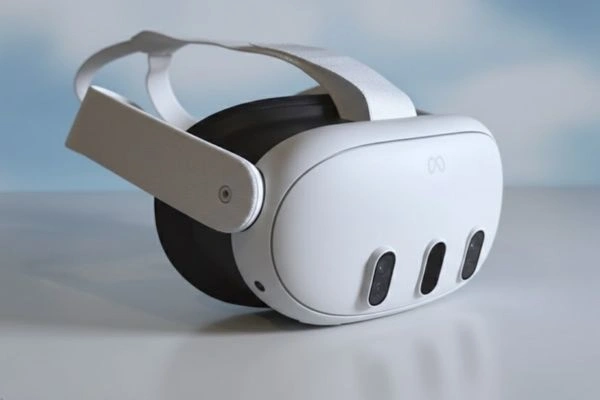
A highly rated standalone VR headset that represents the most balanced choice for mainstream users. With a fast processor, vivid display, and strong tracking performance, Quest 3 delivers smooth gameplay and immersive experiences without needing a PC. It supports a wide range of VR games, fitness apps, social spaces, and mixed reality features. With storage options and wireless freedom, it is one of the most versatile headsets in the line.
2. Meta Quest 3 512GB/128GB VR Headset
This variant offers generous storage space and similar core features to the standard Quest 3. More storage means you can install more games and apps without worrying about space, which matters if you plan to explore many titles or large VR experiences.
3. Meta Quest 2 Advanced All‑In‑One VR Headset
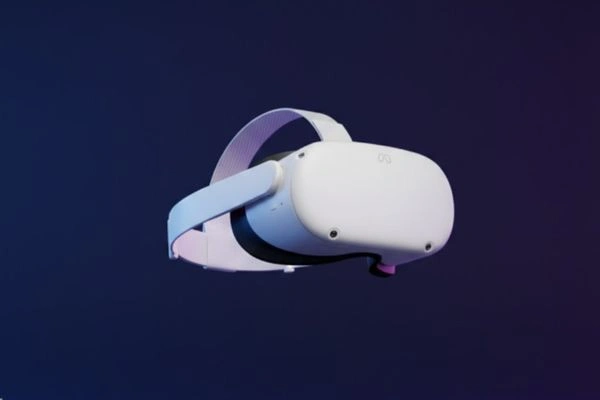
Still one of the most popular and budget‑friendly VR options, Quest 2 delivers solid graphics, wireless play, and access to the Meta VR library. It has been a gateway product for many people getting into virtual reality and remains a great choice if you want quality VR without spending on higher‑end models.
4. Meta Quest 2 Advanced All‑In‑One VR Headset 128GB
This version of Quest 2 has ample storage and balanced performance, making it ideal for casual gamers, entertainment fans, and first‑time VR buyers who want a reliable experience at an affordable price.
5. Meta Quest 2 VR Headset With Resident Evil 4
A Quest 2 bundle that includes a popular VR game, offering value if you plan to dive into gaming right away. Resident Evil 4 on Quest 2 shows how immersive VR can be even on entry‑level hardware.
6. Oculus Quest 2 Advanced All‑In‑One VR Headset
Another solid Quest 2 offering with strong user ratings and a reliable all‑in‑one headset design. This model is similar in performance to other Quest 2 variants but often features bundled accessories or seasonal pricing.
7. Meta Quest Pro
This headset is aimed at more demanding users who want higher performance, richer visuals, and features suited for professional or enthusiast experiences. It costs more and is often recommended only if the core Quest 2 or Quest 3 does not meet your needs.
8. Virtual Desktop Meta Quest Gift
This accessory enhances your Quest experience by allowing wireless PC VR streaming, fun home environments, and extra customization. While not a headset, it adds value for users who want a more flexible VR setup.

What Has Changed With Meta Quest Headsets Over Time
Meta’s VR strategy has evolved. Recent company actions show a shift in focus toward mobile social experiences and artificial intelligence, while continuing VR hardware development at a slower pace. Some internal game studios have closed, and certain VR‑specific initiatives have been scaled back, but the company continues to support its core Quest lineup.
Meta’s Quest support timeline for older models indicates that software updates for Quest 2 and beyond will eventually wind down after a certain number of years. However, older headsets will continue to function even if they no longer get the latest features.
Rumors and reporting have also suggested that plans for a traditional Quest 4 have shifted toward an ultralight headset concept that may resemble next‑generation wearable XR glasses. Reports say Meta may explore designs that separate processing power into a compact module to reduce headset weight and improve comfort.
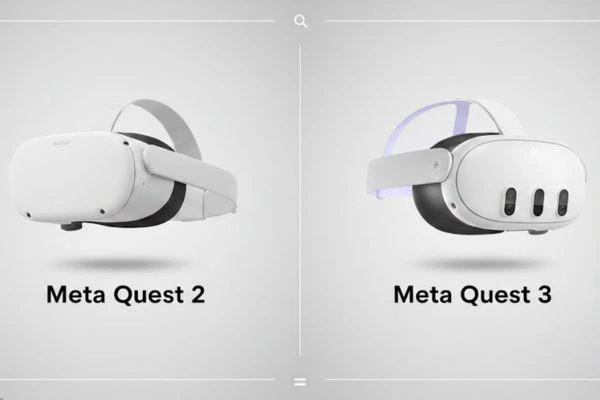
Comparison: Meta Quest 2 Vs Quest 3
If you are deciding between two generations of Quest headsets, it helps to know what each one delivers and how they differ:
Performance
Quest 3 uses a newer Snapdragon XR2 Gen 2 processor with more RAM, delivering higher frame rates, better visuals, and smoother performance compared to the older XR2 Gen 1 chipset in Quest 2.
Display and Visuals
Quest 3 has a sharper display with more pixels per eye and a wider field of view. Users notice richer colors and clearer images for games and movies. The use of improved lenses also enhances clarity at the edges of the screen.
Tracking and Pass‑Through
Quest 3 provides more advanced pass‑through views and better tracking due to additional sensors and cameras. This is particularly helpful for mixed reality features that blend the real world with virtual objects.
Comfort and Design
The newer headset tends to feel more balanced and slightly lighter despite improved hardware. Pancake lenses help slim the headset profile.
Content and Library
Both headsets access the same VR ecosystem, including games, apps, and entertainment, though more recent titles may perform better on newer hardware.
Overall, Quest 3 is a noticeable upgrade in core VR performance and visuals, while Quest 2 remains a strong choice for casual users or those on a tighter budget.
Choosing A VR Headset: What To Think About
Before buying a Meta Quest headset, consider these important points:
How You Plan To Use It
If gaming and immersive VR experiences are your priority, a newer model like Quest 3 offers better performance and visuals. If you want occasional use for social apps, fitness, or watching movies in virtual space, Quest 2 remains capable and more affordable.
Comfort And Fit
Headset comfort varies by design. Users with glasses or larger heads may want to check fit reviews before buying. Lightweight models tend to be easier to wear for longer sessions.
Accessories And Upgrades
Accessories such as better straps, battery packs, or wireless PC streaming tools can extend usability. These might affect your overall experience, especially if you plan long VR sessions.
Software Support
Newer headsets typically receive support and updates longer than older models. Consider how long you want official feature updates and compatibility with upcoming VR titles.
How Meta Quest Stacks Up Against Other VR Headsets
When comparing Meta Quest headsets to other VR devices on the market, a few clear themes emerge:
Standalone Ease Versus Tethered VR
Devices that require a PC, like some high‑end VR headsets, often deliver better graphics. But Quest models work without external hardware, making them easier to use and set up.
Cost And Value
Meta Quest headsets often strike a good balance between performance and price. Some PC‑tethered systems cost significantly more once you include a powerful gaming PC.
Content Availability
The Quest ecosystem has a large library of games and experiences. Some competing systems may offer exclusive titles, though Quest titles tend to be more numerous overall.
Frequently Asked Questions
Are Meta Quest Headsets Easy To Use?
Yes. Standalone Quest models require minimal setup. Users typically connect to Wi‑Fi, sign into their account, and can start exploring VR in minutes.
Can Quest Headsets Work With A PC?
Yes. With accessories and link cables, you can connect certain Quest models to a PC for more advanced VR content beyond the standalone library.
Do You Need a High-End PC to Use Meta Quest?
No. Standalone Quest headsets do not require a computer. However, if you plan to stream PC VR games to the headset, a capable computer will be needed.
How Long Does The Battery Last?
Battery life varies by model and usage, but most standalones offer around two hours of active play. Accessories can extend this time.
Is Mixed Reality Supported?
Quest 3 includes enhanced passthrough and mixed reality features that blend real‑world views with virtual graphics. Older models have more basic passthrough functionality.
Finding the Perfect Quest Headset for Every User
Meta Quest headsets represent some of the most accessible and widely used virtual reality devices available today. With models suited to beginners and more experienced users alike, there is a Quest option for nearly every budget and use case. Newer versions offer better visuals, tracking, and comfort, while older versions still deliver solid performance at lower prices.
While the company’s focus may shift and the ecosystem evolves, the core Quest lineup continues to provide value to VR fans, offering a gateway into immersive worlds that were once only seen in sci‑fi. As VR content and hardware mature, choosing the right headset now means understanding how you will use it and how it will fit into your entertainment or productivity setup.